

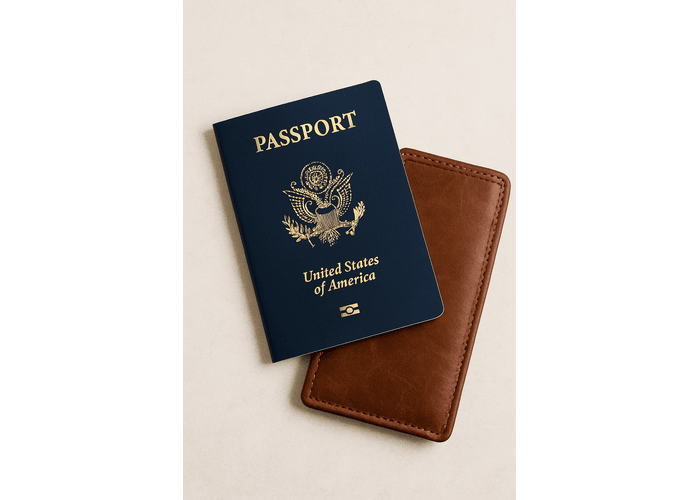
Getting visa or ID photos no longer requires visiting a photo studio. With a smartphone, a blank wall, and a reliable online tool, you can create compliant photos in about 10 minutes – ideal for passports, visas, licenses, and other identification documents.
Know the Requirements Before You Start
Every document has specific rules for size, background, head position, and expression. Photo specifications vary by country and document type, so always confirm the details before taking your picture. Many online tools, including IDPhotoDIY.com, provide quick access to official templates that help ensure accuracy.
Key elements to check:
- Image dimensions (e.g., 35×45 mm, 2×2 inch)
- White or light background
- Neutral expression, eyes open
- No filters or facial retouching
- Restrictions on glasses or accessories
Getting these right from the beginning prevents rejection and saves time.
Prepare the Space for a Clean Photo
A successful ID or visa photo depends heavily on lighting and background.
Background
Stand in front of a plain white or light-colored wall. Leave some space between you and the wall to reduce shadows.
Lighting
Face a window or uniform light source. Avoid overhead lights that cast shadows on your face. Even, shadow-free lighting makes the photo look professional.
Appearance
Wear solid, darker clothing for contrast. Keep hair away from your face, remove large accessories, and ensure glasses are free of glare. Maintain a neutral, relaxed expression.
Taking the Photo Properly
A phone camera is typically sufficient if positioned correctly.
- Place the phone at eye level, 1-2 meters away
- Use a tripod or steady support
- Set the timer to avoid shaking
- Keep your head straight and shoulders level
- Look directly into the lens
Take several shots so you can choose the sharpest, best-lit version.
Format and Finalize Your Photo
Once you have a good shot, upload it to an online photo tool designed for ID and visa formatting. A dependable service such as IDPhotoDIY.com will crop, resize, and align the photo according to the official guidelines for your chosen document. This step eliminates guesswork and helps ensure compliance.
After the tool processes your photo:
- Review the head size and placement
- Confirm the background looks even
- Check that your eyes and facial features are clearly visible
Download either a digital file for online submission or a print-ready layout if physical copies are required.
Quick 10-Minute Workflow
- Minutes 1–2: Review your document requirements.
- Minutes 3–5: Prepare your background and lighting, take several photos.
- Minutes 6–9: Upload and format using an online tool, then download your final image.
- Minute 10: Submit digitally or print as needed.
Once familiar with the process, you can reliably produce compliant photos with minimal effort.
Common Errors to Avoid
- Tilting the head or misaligning the camera
- Shadows across the face or background
- Strong smiles or exaggerated expressions
- Filters, editing, or beauty modes
- Incorrect size or resolution
A short review before downloading helps prevent these problems.
Conclusion
Creating visa and ID photos at home is now fast, accurate, and inexpensive. With a bit of preparation and the help of a formatting tool, you can produce compliant photos in just minutes-saving time, avoiding rejection, and staying ready for travel or official applications.
